

Help : Expert Mode : Commands

Expert Mode provides some commands to automate repetitive tasks. "Copy to Latin Accents" for example will copy certain simple latin letters to slots which should contain an accented version of the same letter. “a” for example, will be copied to ä, á, à, â, ã and å. You will be given a warning if there is a danger of overwriting existing letters:
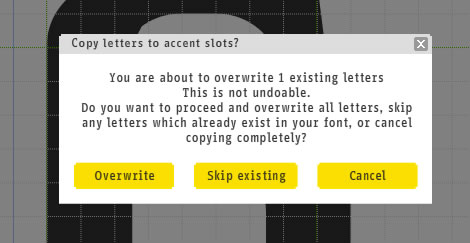
– “Skip existing” is usually the safest option.
There are also commands for copying upper to lower case and visa-versa. Even if your typeface is lower- or upper-case only, copying one to the other will make it easier to use.
Please contact us if you can’t find the information you’re looking for here.